1BADK9
Limited Edition Member
I know another thread was done on this referencing Mozilla, here is the explorer version.
Join photobucket or simular free photo site. when posting open a second window so you can easily come back to the thread you want to post in.
http://photobucket.com/
Follow directions for uploading photos to photobucket.
Once uploaded to photobucket go to that folder you put the picture in and hover over the picture and a drop down list will appear below the picture. Click the line that says "directlink". It will then say direct link copied.
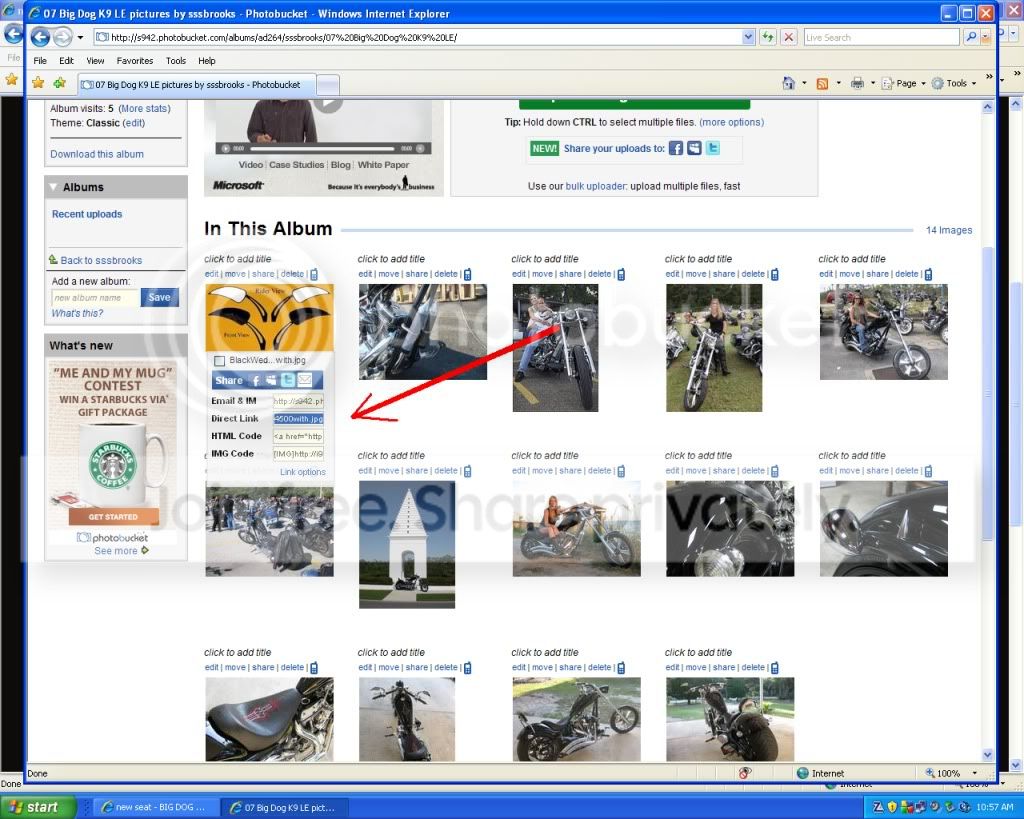
Now come back to the Big Dog Biker Forum thread that you wish to post in. In the reply to thread box that you type your text in there is an icon yellow with a little mountian pic on it. Click that.
http//: will appear highlighted blue, now just right click and paste, and your direct link will be pasted in that box. Be sure you dont end up with http//: twice at the beginning of the link. Hit OK and blam your direct link is pasted into your thread reply.
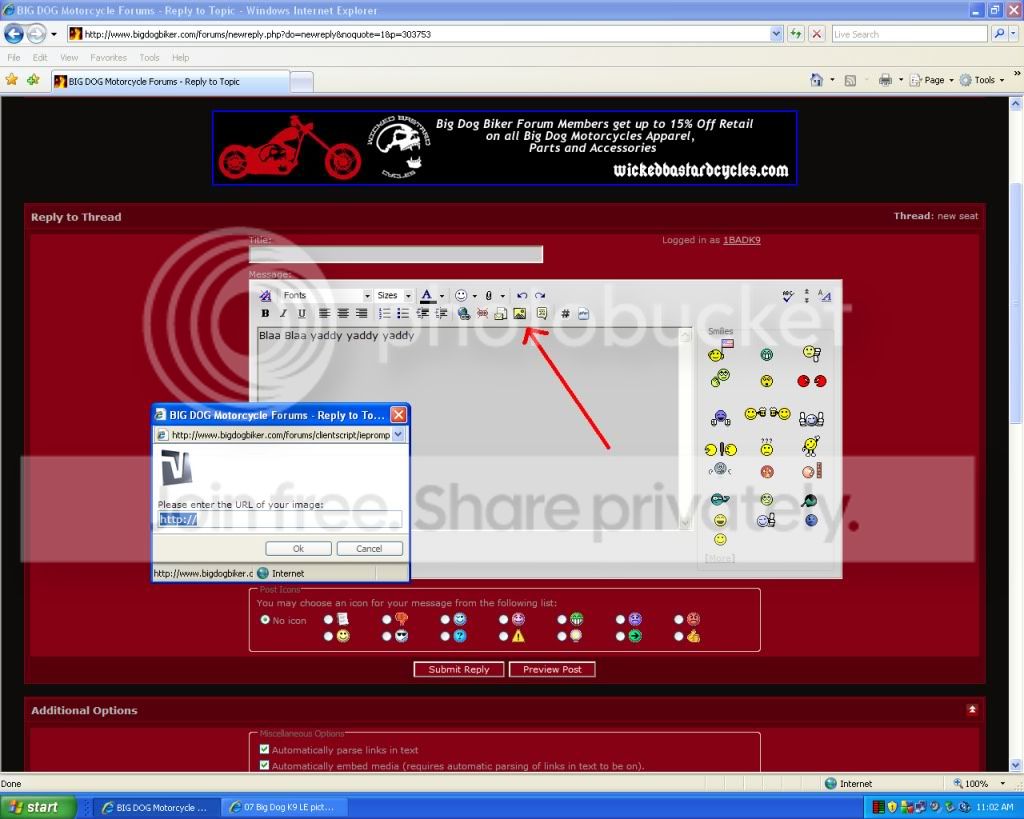
Remember you have to use the yellow icon, if you just paste the direct link into the text it becomes a URL and not an IMG.
HAPPY POSTING NOW SHOW US YOUR BIKE!
Join photobucket or simular free photo site. when posting open a second window so you can easily come back to the thread you want to post in.
http://photobucket.com/
Follow directions for uploading photos to photobucket.
Once uploaded to photobucket go to that folder you put the picture in and hover over the picture and a drop down list will appear below the picture. Click the line that says "directlink". It will then say direct link copied.
Now come back to the Big Dog Biker Forum thread that you wish to post in. In the reply to thread box that you type your text in there is an icon yellow with a little mountian pic on it. Click that.
http//: will appear highlighted blue, now just right click and paste, and your direct link will be pasted in that box. Be sure you dont end up with http//: twice at the beginning of the link. Hit OK and blam your direct link is pasted into your thread reply.
Remember you have to use the yellow icon, if you just paste the direct link into the text it becomes a URL and not an IMG.
HAPPY POSTING NOW SHOW US YOUR BIKE!
Last edited: